What the verified badge means
A verified badge means the published revision you are looking at was signed by the workspace's signing key and linked into that workspace's audit chain. It does not just mean the post exists; it means the exact revision snapshot was signed and can be checked again later.
How to use the verification page
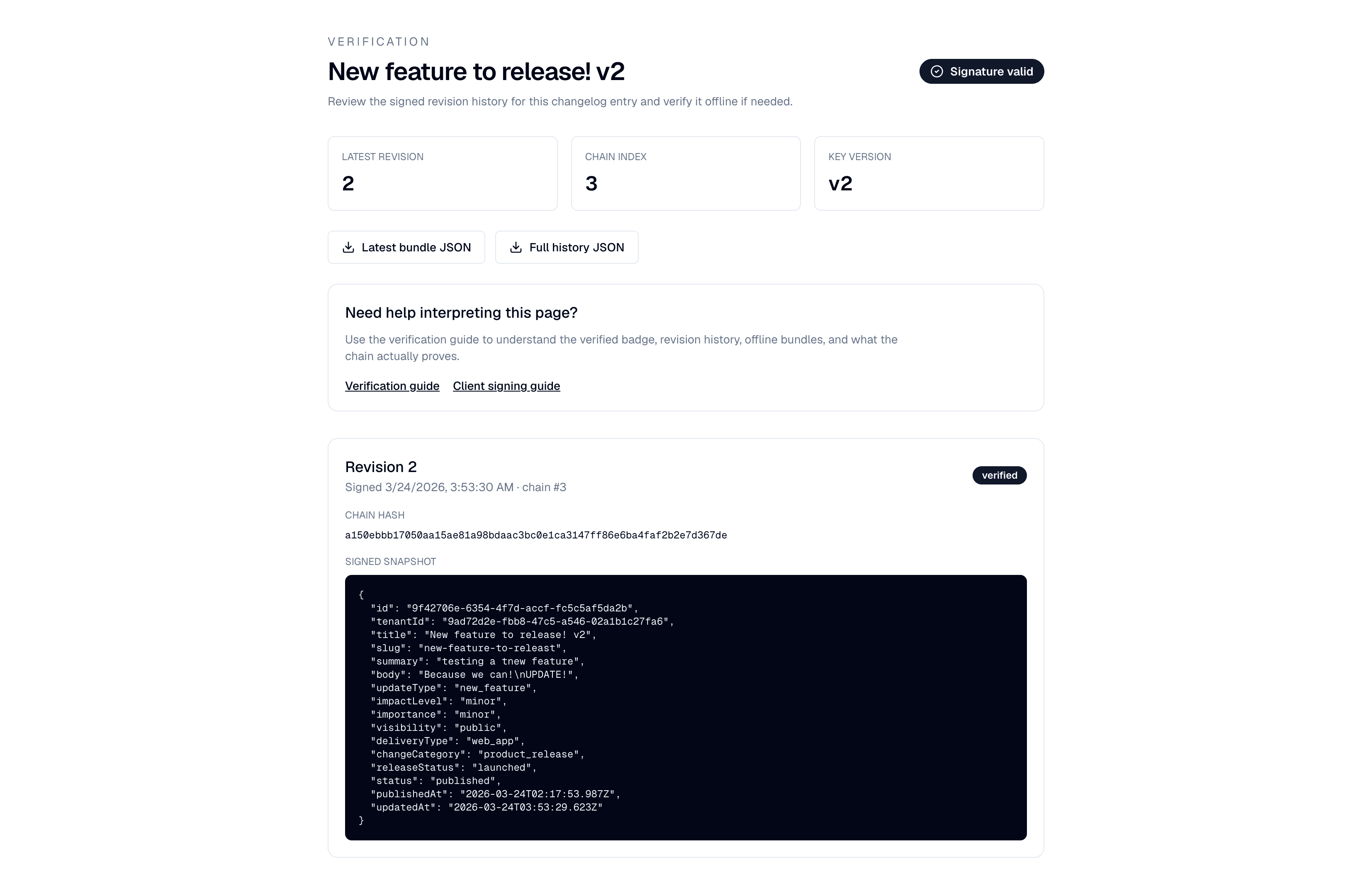
- Open the verification link from the public changelog or dashboard entry page.
- Confirm the verification status is valid.
- Review the revision number, signing time, chain index, and key version.
- Open revision history to compare earlier signed revisions.
- Download the latest bundle or full history if you need to verify independently.
How to read revision history
- Each revision is an immutable published snapshot.
- A newer revision does not overwrite the previous one; it creates a new signed record.
- The diff view is for people. The signature covers the full snapshot.
- The previous-hash link shows continuity to the earlier signed revision in the chain.
Reader-visible and team-visible verification
Reader-visible verification
Anyone who can already see the entry can also open its verification page.
Team-visible verification
Only signed-in team members and approved reviewers can view the verification page or export bundles.
The client chooses the visibility model. The cryptographic model is the same in both cases.
Offline verification
If you need an independent check, download the bundle JSON and run the verifier script locally.
node scripts/verify-signature.mjs bundle.json
node scripts/verify-signature.mjs history.json
The verifier checks canonicalization, payload hashing, chain hashing, signature validity, and continuity across the exported history.
What verification does and does not prove
- It proves the revision content has not changed since it was signed.
- It proves the revision fits into the tenant's signed audit chain.
- It does not tell you whether the product change was good, wise, or complete.
- It does not replace your own review of the content and revision history.
Frequently asked questions
Why can I verify some posts publicly but not others?
Verification visibility is controlled by the client. Some workspaces choose reader-visible verification for customer-facing posts, while others keep verification team-visible and require sign-in.
What does revision history mean?
Revision history is the list of signed published snapshots for a single post. If a published post changes, Chainlog creates a new signed revision rather than changing the original signed record.
Why does the verification URL include the tenant slug?
The tenant slug identifies which tenant signing chain should be used for verification. It keeps the route explicit and avoids ambiguity when different tenants may use similar entry slugs.
What happens when a signing key is rotated?
Older revisions remain verifiable against the key version that originally signed them. Rotation affects new signatures going forward; it does not invalidate old signed revisions.
Need the admin-side explanation?
If you are deciding whether to enable signing or whether verification should be team-visible or reader-visible, use the signing guide.